FBBot - Feedback Thread...

Farmerbob

Active Member
Now remember this is a beta, so expect issues... Please read the file post for details.

Things to do:
- Add more complex targetting to allow for blacklisting,
- Harvesting
- Adding ability to reverse combat path, instead of looping
- Adding the ability to add "Travel Paths"

Download from :
http://www.isxgames.com/forums/showthread.php?t=800
 
Last edited:

Redstrike

Active Member
One thing i've noticed is when I make a path for the first time and i finish it. I hit start and it will not go from the end point back through to the start point of the hunting path. It makes a bee line straight path to the very first point ignoring anything on its way.


EDIT after running it, it reaches the end point and does just like stated above. Not just after initial creation


EDIT #2 After creating any path and ending the bot, when i startthe bot back up it remembers the last path file but keeps saying its corrupted. I have to make a new path every time

#3 Left bot alone for a few minutes, came back and was a few miles in the ocean ( good thing i can breathe in water :D )
 
Last edited:

Denthan

Active Member
Pathing

Redstrike,

The issue you are having is with navigation.iss and MakePath.iss. I know Make path is not his not sure about the other. They do not look at a path when you get to the end and start counting backward like one would hope, they look for waypoint 1 at the end and if that WP is 200m away it will run a direct line to it.

The last craft bot had the same issue. In Tanvu the vendors are indoors and the table out back, it would run to the table just fine but when it would try to go to the component vendor it would not follow the path back but try to run through the building.

Until the pathing scripts are updated this is going to happen.

Denthan
 

Farmerbob

Active Member
Redstrike said:
One thing i've noticed is when I make a path for the first time and i finish it. I hit start and it will not go from the end point back through to the start point of the hunting path. It makes a bee line straight path to the very first point ignoring anything on its way.

EDIT after running it, it reaches the end point and does just like stated above. Not just after initial creation
I don't have a Loop / non loop variable.. I guess since I just make paths that are in a loop, I didn't think about checking the distance from End->Start and seeing if it is greater than 10 yards or something, and if it is reverse instead of loop.

I'll add that functionality to the UI, and put in a checkbox if you want to allow loops, or reverse. I'll also put something in so you can record a 1 run path with no merchant or anything so you can record travel paths.

Redstrike said:
EDIT #2 After creating any path and ending the bot, when i startthe bot back up it remembers the last path file but keeps saying its corrupted. I have to make a new path every time
When you start up the UI Click LOAD to load the path. You shouldn't have to recreate it. Select it in the drop down then click Load. Let me know if you are still having issues loading paths after that. Opening the UI doesn't get it to load a path.

When you load the path you should see the path name and location appear in the IS console screen. So you know it's loaded.

Redstrike said:
#3 Left bot alone for a few minutes, came back and was a few miles in the ocean ( good thing i can breathe in water :D )
One thing to keep in mind when you set your combat routines..

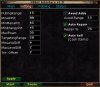
Make sure your roaming is not something like 100. There is no need for it, since you can record much larger paths you can lower your roam distance to be much smaller. I would suggest not roaming more than 35.. Included an image of my config settings. It is also in the docs directory if you want to take a look at the config I use.

But your roaming and targeting distances might be the issue for the bot getting lost or stuck.
 

Attachments

Farmerbob

Active Member
Denthan said:
Redstrike,

The issue you are having is with navigation.iss and MakePath.iss. I know Make path is not his not sure about the other. They do not look at a path when you get to the end and start counting backward like one would hope, they look for waypoint 1 at the end and if that WP is 200m away it will run a direct line to it.

The last craft bot had the same issue. In Tanvu the vendors are indoors and the table out back, it would run to the table just fine but when it would try to go to the component vendor it would not follow the path back but try to run through the building.

Until the pathing scripts are updated this is going to happen.

Denthan
Actually that isn't totally true.. I can make the bot path from Start_Point -> End_Point, and from End_Point->Start_Point. My issue is I didn't even think about people that didn't want to loop the paths.

I'll add something in so people can if they want to loop or not, but I'll also make it so the UI will not attempt to run to the Start_Point unless they are within say 10 yards or something, and while you are recording the path I'll have it display the distance from Start_Point.
 

Truwenswg

Active Member
I havn't tried this out yet and am curious as to how hard this would be to setup for a necro. In concept this looks really good but I don't know xml and have tried learning it in the past but it's a little confusing at times. Anyone have any suggestions as to what I might be able to do with this for a necro.

Just reading the threads here this looks like a very nice combat bot.

-Tru
 

Farmerbob

Active Member
Truwenswg said:
I havn't tried this out yet and am curious as to how hard this would be to setup for a necro. In concept this looks really good but I don't know xml and have tried learning it in the past but it's a little confusing at times. Anyone have any suggestions as to what I might be able to do with this for a necro.

Just reading the threads here this looks like a very nice combat bot.

-Tru
You don't have to know anything about XML... The only thing you have to do for XML is load the XML file listed and do a search and replace. Basicly with your Vanguard path. The one in the file was listed in the post.

As for the combat portion, if you load the cleric one you could probably just change the spell names and get a basic combat necro up and running. Depends on what the necro needs to do in combat.

If you require kiting mobs, you will have to add some kind of pathing code, but if it's just straight combat coding a bot using the engine is really easy. I did the cleric one in about an hour, and I am sure it could easily be adapted to other classes.

Melee classes would be wicked easy. I tried to do some stuff in the cleric like rooting and nuking on the pull to give people an idea of mob pulling.

If you have questions making your bot, or if you have issues with it hit me up on IRC I try to hang out there.

Oh when you make a new class file be sure to name it what the class is called in game.. Don't just redo the cleric file and leave it as Cleric.iss in the class directory. If you play a warrior you will require a "Warrior.iss" file in the class directory.

My friend plays a monk so I will try and knock out a monk class file so people that have melee toons can maybe base code off that.

- FB
 

Truwenswg

Active Member
Sounds good,

Thanks a lot for the response, I wills ee what I can do to adapt the cleric file for a necro, it isn't required that the necro kite if im doing 2 dots 2 or 3 levels higher than myself, but with 3 dots kiting is fairly important, I could probably do it without kiting but it takes a lot longer.

At any rate I will let ya know what I end up doing.

-Truwen
 
Last edited:

Redstrike

Active Member
Tru, i am using it with a necro. After you build your script i'd like to take a look at it and maybe compare / combine some stuff. If you dont mind of course. and i didnt get to check it again. i'll have to wait til after work tonight.
 

stafflag

Active Member
I have been playing with these scripts last few days and im Likeing what i see so far.

can you clarify this statement for me and others that might mis-interpret it?

IMPORTANT NOTICE:
If you use this UI be sure to load the VGSkin.xml file in the FBBot directory and replace the C:\games\Vanguard\VGUIAssets\Shells\Default\Textur es with the location of your VG directory.


thanks much!
 
Last edited:

Farmerbob

Active Member
stafflag said:
I have been playing with these scripts last few days and im Likeing what i see so far.

can you clarify this statement for me and others that might mis-interpret it?

thanks much!
Sure..

When you uncompress the UI it will create a directory called "fbbot". Inside that directory you will find a file called VGSkin.xml

So the file :

FBBot\VGSkin.xml will need to be loaded within a text editor (notepad will probably be fine.) and you will want to do a "Search and Replace" on the following :

Replace :
Code:
C:\games\Vanguard\VGUIAssets\Shells\Default\Textures\
With :
Code:
<PathToYourVanguardFolder>\Vanguard\VGUIAssets\Shells\Default\Textures\
Be sure to replace <PathToYourVanguardFolder> with your path to the Vanguard directory.. So if you have it in

C:\Progam Files\Sigil, make sure that is where <PathToYourVanguardFolder> is. So you would replace with:

Code:
C:\Progam Files\Sigil\Vanguard\VGUIAssets\Shells\Default\Textures\
So basicly it needs to have the location of your games folder so it can use the correct skin files, so the UI will display correctly. Using those skins it makes the UI look like part of the game.

Once you replace everything save the XML file back out and you will be good to go. Be sure to read the docs file in the docs directory before using the UI.

If I can be of any further assistance let me know.
 

Truwenswg

Active Member
Ok so I followed these instructions but that search and replace isn't there...that is I search for the path you say to look for but it says it can't find it, I am using notepad.

-Truwen
 

Truwenswg

Active Member
Ok so I did a search on \textures\ and I found a bunch of lines showing Filename=".\textures\somefile.tga" so im going to make a backup of this file andtry overwriting that with the path you suggest since those aren't really showing any paths.../shrug worth a shot I suppose.
 

gp1001

Active Member
Truwenswg said:
Ok so I followed these instructions but that search and replace isn't there...that is I search for the path you say to look for but it says it can't find it, I am using notepad.

-Truwen
Yeah, I also looked for the Path and there isnt one to be found. Is there an updated .xml file that we dont have?
 

Truwenswg

Active Member
Well I figured out that the ./textures/ is where you need to replace with the path. Unless I did it wrong the UI looks correct. Provided Id idnt' screw anything up with changing that path over. I am now trying to get the pathing to work, does this path through door ways? So far this is a fairly good bot...I just don't know enough about scripting to know if I did the necromancer.iss right =) I used the cleric one and just replaced some of the spell names.
 

Farmerbob

Active Member
Truwenswg said:
Well I figured out that the ./textures/ is where you need to replace with the path. Unless I did it wrong the UI looks correct. Provided Id idnt' screw anything up with changing that path over. I am now trying to get the pathing to work, does this path through door ways? So far this is a fairly good bot...I just don't know enough about scripting to know if I did the necromancer.iss right =) I used the cleric one and just replaced some of the spell names.
OOPPSS..

Ya that was an old XML file... I guess I put the rar together just before I changed the XML locally..

So Yes changing the ./textures is what you need to change.

Sorry about that.
 

stafflag

Active Member
ah! I was beginning to think i was losing it :)


fwiw, my default install location was:

C:\Program Files\Sony\Vanguard\VGUIAssets\Shells\Default\Textures
 
Last edited:

Truwenswg

Active Member
I'm working on using the template script Farmerbob provided to get a necro bot working with this...only problem I am having is pathing, 1 I can't find a merchant outside in the wardship of the moon, does this bot go through doors? So Once I get the necromancer.iss working I will let ya know how it goes. So far the only things I can think of doing is check for dots, buffs, and as a nuke use FD to manage agro for the pet. I'm not sure how I would make it fear kite without getting into trouble with adds, and even then it was stated Id probably have to setup kiting paths so that is out of the question for my VERY limited coding skills. (which is next to nothing if i might add ) =)

-Truwen
 

Truwenswg

Active Member
Redstrike said:
Tru, i am using it with a necro. After you build your script i'd like to take a look at it and maybe compare / combine some stuff. If you dont mind of course. and i didnt get to check it again. i'll have to wait til after work tonight.
I'm going to mess around with it a bit right now and later tonight hopefully I can get it working, last night the pathing wasn't working right so I deleted all the folders that were created for the necromancer im playing so gonna try again today.

-Tru
 

Truwenswg

Active Member
Ok here is a revision of the template thanks to the help of farmerbob this will cast a heal on the pet after it reaches 40% or less. So this is what I have so far, I didn't put many of the spells in yet so let me know what yall think.

Code:
;Leave this define Intact. Its testing if this file is loaded or not.
#define ROUTINES

; Init anything you will need in here, also call status with any setup info..   
; When casting spells you can use the function CastSpell.  It will automaticly  
; cast the best spell you are able to.  You can also set whether it is a buff   
; or a debuff on the mob so it will check if the player or the mob has the buff 
; already and not cast if they do.                                              
;
;  Use CastSpell to cast abilities.                                             
;
;   ISMYBUFF  = This is a player buff, check first before casting.              
;   ISMOBBUFF = Mob Debuff, mainly used for dots or debuffs on a mob            
; Examples:                                                                     
;  CastSpell "Resolution" ISMYBUFF   
;     Will cast Resolution on the player DTarget using highest, but check if we have it first.
;
;  CastSpell "Anathema"
;     Will nuke the mob.
;
;  CastSpell "Hand of Censure" ISMOBBUFF
;     Checks if mob doesn't have the debuff, if not it will cast.  
;
; Use this Cleric.iss as a template for your bots, remember you only have to deal 
; with the following calls :
;
;  InitClassBot() - Set your script name, variables, and anything else you want 
;  CombatPrep() 


function InitClassBot()
{
  ; Set your script name, variables, and anything else you want 
  ; This function is called as soon as the UI loads up and only 
  ; called the one time to initilize the script.                
  ScriptName:Set["TemplateBot v0.5B"]

  StatusMsg "Necromancer Test Combat Code"
  StatusMsg " - By FarmerBob v0.50 Beta"
}

function CombatPrep()
{
  ; This function is called everytime before combat, so set whatever you need   
  ; set for your combat routines..  init variables, check buffs..  etc..        

  ; Make sure you have stopped moving...
  VG:ExecBinding[moveforward,release]
  VG:ExecBinding[movebackward,release]

  ; Be sure we have ourselves set as the defensive target...  
  Pawn[id,${Me.ToPawn.ID}]:Target

  ; Do any kind of buffing you might want..  check for buffs whatever..
  ;CastSpell "MyBuffSpell" ISMYBUFF
  call InstantSpell “Transmogrify” ISMYBUFF
  call CastSpell “Power of the Grave” ISMYBUFF 
  call CastSpell “Hollow Breath” ISMYBUFF 
  call CastSpell “Death Shroud” ISMYBUFF 

  ;Reset flag
  DoCombatPrep:Set[FALSE]
}

function PullMob()
{
  declare PRng int local ${PullingRange}
  
  while !${Me.Target.HaveLineOfSightTo}
  {
    call moveToTargetedObject ${Me.Target.ID} ${PRng} 1 FALSE
    echo " PullMob : ${PRng}"
    PRng:Dec
  }
  
  ; Ok we are in range, and we can see our target..  lets pull with a cast..
  ; CastSpell "MyPullAbility"
  call CastSpell “Torment” ISMOBBUFF

}

function Attack(int64 AttackGUID)
{
  ; Called when you have a mob aggroed, and are ready to attack.  
  
  if ${AttackGUID}==0
  {
 	StatusMsg "No target to attack"
  }
  
  StatusMsg "In Attack - Target ID = ${AttackGUID}"
  
  Pawn[id,${AttackGUID}]:Target
  
  face ${Me.Target.X} ${Me.Target.Y}
  if !${Me.Ability[Auto Attack].Toggled}
    Me.Ability[Auto Attack]:Use
  call PullMob
  call DebuffMob
  call NukeMob
  call healmypet

  call moveToTargetedObject ${AttackGUID} 4 1 TRUE
  
  while !${TargetDead}&&!${ImDead}&&${Me.Target(exists)}&&(${MenuState}!=BS_PAUSE||${MenuState}!=BS_EXIT)
  {
    if !${Me.Ability[Auto Attack].Toggled}
      Me.Ability[Auto Attack]:Use
    call moveToTargetedObject ${AttackGUID} 4 1 TRUE

  
  }
  
  DoDowntime:Set[TRUE]
  DoCombatPrep:Set[TRUE]
}


function Downtime()
{
  ; This function is called after combat..  do whatever you want in here..  
  ; Remember to make sure you are not in combat, incase something agro'd    
  ; If so be sure to exit the downtime routine, and let the bot take over.  
  
  StatusMsg "Downtime Called"
  if !${Me.InCombat}&&(${Me.EnergyPct}<${MinManaPct}||${Me.HealthPct}<${MinHPPct}||${Me.EndurancePct}<${MinEnergyPct})
  {
    wait 1
  }

  ; Reset downtime flag
  DoDowntime:Set[FALSE]
}

function healmypet()   
{    
  ; do I have a pet to heal??    

if !${HavePet}  
    
  return

if ${Me.Pet.PetHealth} < 40    

  {
   ; make sure our pet is targeted for heal..

   Pawn[id,${Me.Pet.ID}]:Target 

   call CastSpell "MyPetHeal" ISMYBUFF   
   }  

}

function DebuffMob()
{
  ; Cast debuffs on the mob if we need to...
  if ${Me.Target.Distance} < 6
    call CastSpell "Hand of Censure" ISMOBBUFF
}

function NukeMob()
{
  call CastSpell "Anathema" ISMOBBUFF
}
 

Truwenswg

Active Member
Starting Farmer BotUI v1.0
Script Necromancer v0.5B Starting
Path found in 21 hops
Unknown Player Spell “Power
Unknown Player Spell “Hollow
Unknown Player Spell “Death
Unknown Player Spell “Transmogrify”
Unknown Player Spell “Torment”
Closing Farmer BotUI v1.0 STATE=0
Bind 'FBBotDisplay' removed
0----------------0
| Ending FBBot |
0----------------0

Thats some status line I get when running the bot. This shows up on the console not on the bot itself.

This is what I get on the bot status window...

After it says "we are on the hunting path, so hunt...

It says "Lets" then pauses a few seconds then says "Done" I am assuming these are the lines that say "lets buff' and "Done Buffing" when it says this is when teh console outputs the other text I pasted in here.
 
Last edited:

mordiaky

Active Member
Make sure that each spell its trying to cast is Spelled Just like it is in the game like "Torment I"
"Bone Spike III"
 

Truwenswg

Active Member
mordiaky said:
Make sure that each spell its trying to cast is Spelled Just like it is in the game like "Torment I"
"Bone Spike III"
They aren't working either, but they are instant spells so I tried useing call InstantSpell "spellname" ISMYBUFF
and that didn't fix it either. So im at a loss.

-Truwen
 
Last edited:

mordiaky

Active Member
Ohh then it might not work the way i said then. I never played with this script I am using krambot and in krambot you have to add the spells lvl, so i figured its the same. i just looked at the clerics.iss script he has and it doesn't show the lvl so I am not to sure now, sorry was trying to help out. But if you do get it working well would you like to share it?
 

Truwenswg

Active Member
I woudln't mind at all =) as long as I can get it to recognize the spells as actual spells then I'm sure it will work great, I was running it in a low level zone for testing and from what I can see it works good. I also used krambot but the only thing with that was that there weren't enough waypoints *Smile* and you had to edit it per class, I ended up having a buncha saved files with a default setup with that one...with my necro one though it ended up acting weird when healing the pet.

Any way once I get this one working I'll post it up here someplace.

-truwen
 

Farmerbob

Active Member
mordiaky said:
Make sure that each spell its trying to cast is Spelled Just like it is in the game like "Torment I"
"Bone Spike III"
Actually no.. You only want the name : "Bone Spike" my casting routines will automaticly scan for the best level of the spell to cast.
 

Farmerbob

Active Member
Truwenswg said:
They aren't working either, but they are instant spells so I tried useing call InstantSpell "spellname" ISMYBUFF
and that didn't fix it either. So im at a loss.

-Truwen
I'll take a look at your bot and post the code up here.
 

Alltimed

Active Member
Having a problem with previously created profiles. When I load one and try to start the bot it automatically starts the hunting path and just runs in one direction and never follows the path. It's fine if I create a new one but that gets frustrating everytime I logout.
 

Farmerbob

Active Member
Alltimed said:
Having a problem with previously created profiles. When I load one and try to start the bot it automatically starts the hunting path and just runs in one direction and never follows the path. It's fine if I create a new one but that gets frustrating everytime I logout.
Are you selecting the path from the drop down and then clicking Load?
 

Alltimed

Active Member
Yes, it seems to load the profile as it says so in the console and the status window of the UI BUT it always goes straight to hunting mode and just runs whatever direction it was facing at the time I hit start.
 

Farmerbob

Active Member
Alltimed said:
Yes, it seems to load the profile as it says so in the console and the status window of the UI BUT it always goes straight to hunting mode and just runs whatever direction it was facing at the time I hit start.
I have a new version coming out shortly.. I am just trying to get the new targetting system active. I changed the pathing stuff around a bit in the new version.

No idea why he would just run off and not get on the path. I haven't seen him do it in the version I'm running.. Hopefully the new version will fix your issue.
 

trillo

Active Member
Very nice script!

Is there a way to make it attack non agro mobs?

I noticed the same path issue, but it seems to happen more often when creating a path, using path, end script, start the script, loading the path, it will say the file is corrupt, clearing points, and then it seems to delete the file.

But if I create a path, use it, exit script, exit game, exit innerspace, run innerspace, open game, run script, load path, it works fine.
 

Redstrike

Active Member
i had to change where it targets from AggroNPC to NPC. Which if you hunt near a diff factions city wouldnt be good i guess.
 

Truwenswg

Active Member
For the sake of consistancy, I have min level mobs set to 6 levels lower and max to 2 levels higher, the bot doesn't seem to want to pull the ones that are 1 level higher than the min. Otherwise thanks to the help of farmerbot and his updating of both the UI and help with the necro script I managed to get a working necro script going. It seems to pull stuff that are level 22 and perhaps higher (havn't tried) but no lower than that..my level is 26.

At any rate I'm going to do some more tweaking of the necro script, I have a few more ideas to make it work good. So far it will pull with torment, and send pet in at the same time...I'm thinking about puting a wait so it will send in pet and let the pet get a hit or 2 in before I cast torment. Since sneer doesn't fire all of the time I put FD as a ISMOBBUFF in the nuke section so that it goes through your nukes (currently only 2 of them) and casts Rest of the Dead at the end of that cycle. I may move that into the debuff section for the dots and let it drop me about halfway through casting dots.

Farmer, quick question. I understand traditional kiting will require some code for pathing, what about fear kiting, I notice you have "movetotarget" or some such in here, that would essencially say "move to within x range of target for spell casting" I'm curious if this would cause me to chase a fleeing mob, in a safe enough place this could work for fear kiting without the extra code for pathing.

The only major issue I'm having is just that the bot will run past mobs that he should pull. At any rate im sure it can be figured out. =) Just thought I'd post my bit of info here from playing around with it today and last night.

Oh yeah and it doesn't seem to recognize my pet in the pet healing code, I mentioned this to you last night farmer, I am using this code for the pet heal.

Code:
function HealmyPet()   
{    
  ; do I have a pet to heal??    
  if ${TargetDead}
    return
  if !${Me.HavePet}  
    return

  if ${Me.PetHealth} < HEALPETBELOW    
  {
   ; make sure our pet is targeted for heal..
    Pawn[id,${Me.Pet.ID}]:Target 
    call CastSpellText "Blood Rite" "points of life" ISMYBUFF   
  }  
}
and I get No such 'character' member 'PetHealth' in return on the IS console. So I'm not sure if this is just that my pet isn't to hurt yet or if somethign else is wrong with that function.


Thanks,
-Truwen
 
Last edited:

Farmerbob

Active Member
Redstrike said:
i had to change where it targets from AggroNPC to NPC. Which if you hunt near a diff factions city wouldnt be good i guess.
In the next version I have it so you can allow it to target NPCs (Nonaggro mobs), I also have a ID blacklist active, and I am adding a String Search Blacklist.. So if you have something like a "Centurion" that you don't want to attack you can add that to the String blacklist and it won't attack them.

As for the pathing issues, I think they should be resolved in the next release. I corrected a few things in it.. Some of the state changes were not occuring properly, and causing the bot to get a little confused.
 

Farmerbob

Active Member
Truwenswg said:
Code:
function HealmyPet()   
{    
  ; do I have a pet to heal??    
  if ${TargetDead}
    return
  if !${Me.HavePet}  
    return

  if ${Me.PetHealth} < HEALPETBELOW    
  {
   ; make sure our pet is targeted for heal..
    Pawn[id,${Me.Pet.ID}]:Target 
    call CastSpellText "Blood Rite" "points of life" ISMYBUFF   
  }  
}
and I get No such 'character' member 'PetHealth' in return on the IS console. So I'm not sure if this is just that my pet isn't to hurt yet or if somethign else is wrong with that function.
As far as I know, looking at the code for Character the code should be correct. You might want to bring this up with Ama, and see if he can take a look into it. There could be an issue, since there are not really a lot of complex combat bots yet.

${Me.PetHealth} should not return an error.. I don't think. Since the member is suppose to be available according to the Wiki.
 

Xeon

Active Member
Farmerbob said:
${Me.PetHealth} should not return an error.. I don't think. Since the member is suppose to be available according to the Wiki.
According to the release notes, the whole Pet section was redone. I imagine that the Wiki just hasn't been updated yet.
 

Farmerbob

Active Member
Xeon said:
According to the release notes, the whole Pet section was redone. I imagine that the Wiki just hasn't been updated yet.
Yup, you are correct.. I just went through the patch notes... Turns out there were some corrections..

Pet now returns a Pet Object:

So it should be changed to:

${Me.Pet.Health}
 

Farmerbob

Active Member
Version 1.02 beta of the UI is available.

Includes combat routines for :

Cleric, and Necro, as well as a template file for you to create your own.
 

slipy00

Active Member
I really really like this program, but the only reason why I would use this is for harvesting, most level grinding is done in a group.
So for the future, some routines to check harvest able corpses and nodes around my path would be awesome.

For example, what I do now for wood is room around rv killing treants in a specific area. I can get you script to roam and kill, but no matter how much poor editing I do I cant get it to harvest the tree after its dead. I would love this feature.
 

Truwenswg

Active Member
Great job farmer, I did some tweaking of the necro script and determined that it wont be to hard to fear kite with it, especially if the anti-add script works like it seems it should, avoid adds by staying at x distance, while the script is moving towards the target. And just use fear in the nukemob routine. I'm going to try this out and see how it works.

One thing I did do to remove agro from myself was added Rest of the Dead as an ISMOBBUFF call...so basically it pulls with torment throws the other instant dot on, feigns, and then continues to cast the rest of the dots and nukes. If I understand your coding correctly it will cycle through the Dot's again and once it got to Rest of the Dead it will see that the mob doesn't have it and cast it again. So far it works good, and the pet heal is working real well now since that change you had me make. =)

-Truwen
 

Farmerbob

Active Member
slipy00 said:
I really really like this program, but the only reason why I would use this is for harvesting, most level grinding is done in a group.
So for the future, some routines to check harvest able corpses and nodes around my path would be awesome.

For example, what I do now for wood is room around rv killing treants in a specific area. I can get you script to roam and kill, but no matter how much poor editing I do I cant get it to harvest the tree after its dead. I would love this feature.
Harvesting code is kinda half written.. I have the code in there, but I have to finish it... Since I don't have the ability to harvest it's kinda hard to test..

I need to go back to the newbie areas and run some tests and pick up plant picking and skinning..

With the new targetting routines I can detect resourses and what not, so it's just a matter of refining it to do it.

There were just other things I wanted to get done first. eg - Make sure it could path and kill mobs successfully...

What I might do is add a "Harvest" routine to the combat script, and then make a call there if I see anything worth harvesting, and then the user can harvest it.
 

Axil

Active Member
i keep erroring out with my necro... perhaps i'm too low a level for the script? (level 8)

i set up my paths fine, then when i click go it flashes up "on the hunting path, so hunt", then i lose the UI, in the console i see the error "Unknown command 'CastSpellText' "
 

trillo

Active Member
Great work!

I am put together a custom Pally module that works very well but I am tweaking it for better performance and having a hard time figuring out the following, any advice would be appreciated.

How do I work around casting spells that contain a ' in the name, seems the extension omits the ' character and the spell fails the spell check.

Also, how do I switch Auras?

and finally, is it possible to tell the mobs HP percentage?

Thanks in advance!

Trillo
 

gp1001

Active Member
trillo said:
Great work!

I am put together a custom Pally module that works very well but I am tweaking it for better performance and having a hard time figuring out the following, any advice would be appreciated.

How do I work around casting spells that contain a ' in the name, seems the extension omits the ' character and the spell fails the spell check.

Also, how do I switch Auras?

and finally, is it possible to tell the mobs HP percentage?

Thanks in advance!

Trillo
have you tried adding two ' ?
 

Farmerbob

Active Member
trillo said:
Great work!

I am put together a custom Pally module that works very well but I am tweaking it for better performance and having a hard time figuring out the following, any advice would be appreciated.

How do I work around casting spells that contain a ' in the name, seems the extension omits the ' character and the spell fails the spell check.

Also, how do I switch Auras?

and finally, is it possible to tell the mobs HP percentage?

Thanks in advance!

Trillo
When casting a spell you have the spells name in "SpellName" (dbl quotes).. If so it should be able to have an embedded '... I would think. What spell are you trying to cast, and do you have some sample code you can link up here for me to see?

As for the mobs hp pct:

${Me.TargetHealth}

Anything else let me know. I hang on IRC and will help there whenever I can.. If I don't respond right away I am probably not right infront of the PC.
 

trillo

Active Member
Thanks, here is a snippet of code:

Code:
function FinishAttacks()
{
	StatusMsg "-= FinishAttack - Vothdars Mighty Strike  =-"
	call CastSpell "Vothdar’s Mighty Strike" ISMYBUFF

	StatusMsg "-= FinishAttack - Hammer of Valus =-"
	call CastSpell "Hammer of Valus"

	call CheckHeals
}
Will get me "Unknown Player Spell Vothdars Mighty Strike"

Thanks for the Mob Health check, any idea about switching auras? I think these are equivalent to some classes forms or stances.
 

Truwenswg

Active Member
Axil said:
i keep erroring out with my necro... perhaps i'm too low a level for the script? (level 8)

i set up my paths fine, then when i click go it flashes up "on the hunting path, so hunt", then i lose the UI, in the console i see the error "Unknown command 'CastSpellText' "
I'm looking at this, I'm level 26 and am having the same problem. At what point is it crashing the UI for you? Mine crashes after devouring shadows. Let me know.

-Truwen
 

naimean

Active Member
I GET a crazy amount amount of errors that spam saying. Cannot calculate 0/0, divide by 0 in calculation
 

naimean

Active Member
I GET a crazy amount amount of errors that spam saying. Cannot calculate 0/0, divide by 0 in calculation
 

Truwenswg

Active Member
I've been working wtih the bot today. It seems that at the end of the pull routine is when it crashes and from what I can determine the line is correct.

Code:
function PullMob()
{
  declare PRng int local ${PullingRange}
  
  VGExecute /pet attack
  while !${Me.Target.HaveLineOfSightTo}
  {
    call moveToTargetedObject ${Me.Target.ID} ${PRng} 1 FALSE
    PRng:Dec
  }
  
  call CastSpell "Torment" ISMOBBUFF
}
He sends pet he moves in he gets in range and then I suppose at the castspell part is when it crashes.
Everything up to this point works till he wants to cast torment.
-Truwen
 
Last edited:

Truwenswg

Active Member
Script Necromancer v0.5B Starting
Path found in 24 hops
LavishScript Internal Error: Script 'fbbot' corrupted, aborting script.
Dumping script stack
--------------------
-->C:/Program Files/InnerSpace/Scripts/./fbbot/FBVGClasses/Necromancer.iss:155 Attack() while !${TargetDead}&&!${ImDead}&&${ImOwner}&&!{HaltGUI}
C:/Program Files/InnerSpace/Scripts/fbbot.iss:466 main() call Attack ${TargetGUID}
0----------------0
| Ending FBBot |
0----------------0

Got this today.
 

Truwenswg

Active Member
Ok the necro code works! I'm going to try throwing in some heal code from the cleric.iss file and see if I can get it to cast drain life when low on health. Though this won't speed up the downtime process. =) sometimes though it says that it failed to load NULL path so it runs a straight line, remaking the path fixes the problem.. Anyone else run into this problem?
 

Truwenswg

Active Member
Uploading a working necro script. This was created using a level 26 necromancer so I'm not sure how it will act on a lower level necromancer who may not have all of the spells in this script. I added a couple of things and am going to be working on throwing in some pet commands and chain reactions functions.

At any rate this is the working script.

-Truwen
 

Attachments

gp1001

Active Member
Paths

I created a path for my necro, but it doesn't show up in the drop-down list.
I can see it in the FBVGPaths directory. any ideas?
everytime I load the script the path selection is empty.
 

Farmerbob

Active Member
gp1001 said:
I created a path for my necro, but it doesn't show up in the drop-down list.
I can see it in the FBVGPaths directory. any ideas?
everytime I load the script the path selection is empty.
Actually I found a cpl of minor glitches in the path loading/saving. I have corrected them in the version I have, but I'm running a few more tests before uploading the modified code.
 

gp1001

Active Member
Farmerbob said:
Actually I found a cpl of minor glitches in the path loading/saving. I have corrected them in the version I have, but I'm running a few more tests before uploading the modified code.

Awsome I cant wait to see it!
 

gp1001

Active Member
When I do create a path I get this error when i try and start the bot.
Code:
Script Necromancer v0.5B Starting
Path found in 2 hops
Unknown command 'CastSpellText'
Dumping script stack
--------------------
-->C:/Program Files/InnerSpace/Scripts/./fbbot/FBVGClasses/Necromancer.iss:247 Downtime() CastSpellText "Awaken Abomination" "appears at your side" 1
C:/Program Files/InnerSpace/Scripts/fbbot.iss:371 main() call Downtime
 

Farmerbob

Active Member
Sorry I haven't got an update out. My daughter has been sick with the flu, and I have not had much time to get the next version out.

I'll try to have it out tomorrow.
 

aChallenged1

Active Member
Farmerbob said:
Sorry I haven't got an update out. My daughter has been sick with the flu, and I have not had much time to get the next version out.

I'll try to have it out tomorrow.
Family first Bob.

We can wait.
 

Alltimed

Active Member
I'm having path creation problems. I will go through the steps to create a path and it never seems to save or appear in the Path folder, was wondering if anyone else was experiencing this?
 

gp1001

Active Member
Alltimed said:
I'm having path creation problems. I will go through the steps to create a path and it never seems to save or appear in the Path folder, was wondering if anyone else was experiencing this?
Yup - http://www.isxgames.com/forums/showpost.php?p=4281&postcount=58

I was only able to create a path once. now if i create a path it doesnt get saved to the paths directory.
I am going to try and do a ext -unload and reload and see if that helps.
 

trillo

Active Member
Pathing for me seems to be hit or miss type deal. Sometimes I create a path and I am able to load it again later and the path is always available, other times, well it is frustrating.

Sometimes it does not save the path xml file at all.

The most puzzling to me is that path files are saved and used after creation, but do not show up in the drop down box the next time Vanguard is run even if the file exist and has all pathing information. I can use freshly created paths, as long as I do not close fbbot, if I close and re-open fbbot, the paths show up, but loading them reports it has 0 points.

Manually checking the xml files, they do exist, and seem to have complete path information. And if I close the Vangaurd client, reopen it, load the extension, load fbbot, the paths are not listed in the drop down box.
 
Last edited:

Alltimed

Active Member
YOu may need to check your Settings file under your VGToon folder. You can manually add the paths available to your character in that file. I have had to do this a few times.


trillo said:
Pathing for me seems to be hit or miss type deal. Sometimes I create a path and I am able to load it again later and the path is always available, other times, well it is frustrating.

Sometimes it does not save the path xml file at all.

The most puzzling to me is that path files are saved and used after creation, but do not show up in the drop down box the next time Vanguard is run even if the file exist and has all pathing information. I can use freshly created paths, as long as I do not close fbbot, if I close and re-open fbbot, the paths show up, but loading them reports it has 0 points.

Manually checking the xml files, they do exist, and seem to have complete path information. And if I close the Vangaurd client, reopen it, load the extension, load fbbot, the paths are not listed in the drop down box.
 

neogeoman

Active Member
i notice that everytime i pull it will say out of range the first time before pulling. Another glitch i have is that once in a while the bot will be too far away to pull and will just stand there spamming the pull attack. The bot wont budge until the creature comes into range.
 

Farmerbob

Active Member
Sorry I have been a little slow with updates the past week.. Had a hectic week. I actually had to do real world work.. *sigh* had no time to play.

Anyhow things should be back to normal. I know there is a new version floating around since a few people were beta testing it for me on IRC, I'll try wrapping it up tonight/tomorrow and get it up for you all to download.

Once you all get on the current version we'll start addressing new bugs from there.

Thanks for understanding. :)

- FB
 

adakos

Active Member
Welcome Back

Hey FB, Welcome back. I've got some suggestions for code changes, if you are interested.

1. Inventory Checking Code
Code:
objectdef myowntype
{
  member:uint TotalInventoryItem(string Name)
  {
     variable int i = 1
     variable uint Count = 0
     for (${i}<=${Me.Inventory} ; i:Inc)
     {
       if (${Me.Inventory[${i}].Name.Equal[${Name.Escape}]})
       {
         Count:Inc[${Me.Inventory[${i}].Quantity}]
       }
     }
     return ${Count}
  }
}
 
variable myowntype MyOwnObject
2. Object Checking Code Implimented with the pulling portion of your script to use either 1) arrows (crude barbed) or 2) A spell, (i.e. Torture), 3) Start with Melee Attack #1 (in this case, Wrack)

Code:
function PullMob(int64 AttackGUID)
{
  ; Ok we are in range, and we can see our target..  lets pull with a cast..
  Face ${Me.Target.X} ${Me.Target.Y}
  call ApproachTarget ${PullingRange}
  while !${Me.Target.HaveLineOfSightTo}
  {
     VG:ExecBinding[moveforward] 
  }
  VG:ExecBinding[moveforward,release]
 
 if ${Me.Target.Distance} > 8 && !${TargetDead}
    {
      Face ${Me.Target.X} ${Me.Target.Y}
      call ApproachTarget ${PullingRange}
  
		if ${MyOwnObject.TotalInventoryItem["Crude Barbed Arrow"]} <= 1
		{
		call CastSpell "Torture"
		}
		if ${MyOwnObject.TotalInventoryItem["Crude Barbed Arrow"]} > 1
		{
    call CastSpell "Ranged Attack"
		}

    }
    if ${Me.Target.Distance} < 8
    call CastSpell "Wrack"
}

Finally, I Hunt a lot, and sometimes, when there are laggy areas, MOBS will pop inside you when you are pulling. What I did was add this little snippet to check the distance so you will not have this problem of dying to greens just becuase they popped inside you.
Code:
function DistCheck()
{
if ${Me.Target.Distance} <= 1
	{
    VG:ExecBinding[movebackward]
    wait 2
    VG:ExecBinding[movebackward,release]
	}
}
Of course, My combat function now looks like this:
Code:
function MeleeAttacks()
{
  call SnareRunner
  call DebuffMob
    call CastSpell "Dreadful Visage"
    call DistCheck
    call CastSpell "Ravaging Darkness"
    call DistCheck
Call CastSpell "Shadow Step"
wait 3
 Call CastSpell "Harrow"
 call DistCheck
   call CastSpell "Scythe of Doom"
    call DistCheck
  call CastSpell "Malice"
    call DistCheck
      call CastSpell "Vexing Strike"
    call DistCheck
}

Things I would like to see fixed:
1) Auto Rez-Summon, Repair, Sell/buy return to hunting path

2) Take my arrow snipper, combine it with some crafting bots, and make an auto BUY/Equip (in quiver) arrow function for us tanks who pull with arrows.

3) The Path Save-Load Problem fixed (where paths dont show up after you quit VG and reloa the program)

5) Use Slow Turn while moving: Doesn't turn slowly

6) Pilot Mode and new Move code is great (from 1.04b) although if you dont have a path selected and are standing on a waypoint when you engage pilot mode, you'll do the classic 'run for the hills' maneuver where you just kind of pick a random direction and start running, hell bent for leather.

7) If you look at the last <code> post i put in, you see shadow step + Harrow combo. There has to be a better way to chain these. For those that dont have a Deathknight, You use this combo a lot. It's not a chain/finisher, it's just a set-up-spell & and specialmelee attack that needs to be initiated immediately after shadow step. 1) you hit shadow step (instant cast) it says "select attack" 2)you hit harrow, 3) you warp behind target and smack them with a very nice combo (dk signature move)- however , in my experience it's mis-times this more than 60-70% of the time and screws up "that attack cannot be used with Slashing" (i.e. Autoattack)

All in all, it's coming along very nicely, FB. Keep up the good work

 

diraven

Active Member
hey adakos I don't suppose you would be willing to share that dread knight code would ya? I have been messing with the cleric one a bit trying to 'convert' it to DK and have been having some issues. The combo you described in the above post is one of the issues I have been having, I am glad to see it wasn't just me.

I got DK working pretty decent on the krambot but I would like to use the FBBot since this seems to be where this is all going.

Thanks
 

adakos

Active Member
Dk Code

Here's the DK CODE.

Note- it only works with FBBOT 1.04b at the present time.
Also, im not sure if i've got the wrack / ruin combo working. I think so, just havnt had a lot of time to test it.

here we go: Any questions? feel free to ask in this thread!
Code:
;Leave this define Intact. Its testing if this file is loaded or not.
#define ROUTINES
 
; Time to wait before casting another heal (in seconds)
#define TIMEBETWEENHEALS 4
 
function InitClassBot()
{
  ; Set your script name, variables, and anything else you want 
  ; This function is called as soon as the UI loads up and only 
  ; called the one time to initilize the script.                
  ScriptName:Set["PBot v0.5B"]
 
  StatusMsg "DK Code"
  StatusMsg " - By Adakos v0.55 Beta"
  StatusMsg " Last Update: 04-05-07"
}
 
 
objectdef myowntype
{
  member:uint TotalInventoryItem(string Name)
  {
     variable int i = 1
     variable uint Count = 0
     for (${i}<=${Me.Inventory} ; i:Inc)
     {
       if (${Me.Inventory[${i}].Name.Equal[${Name.Escape}]})
       {
         Count:Inc[${Me.Inventory[${i}].Quantity}]
       }
     }
     return ${Count}
  }
}
 
variable myowntype MyOwnObject
 

function CombatPrep()
{
  ; This function is called everytime before combat, so set whatever you need   
  ; set for your combat routines..  init variables, check buffs..  etc..        
 
  ; Make sure you have stopped moving...
  VG:ExecBinding[moveforward,release]
  VG:ExecBinding[movebackward,release]
 
  ; Be sure we have ourselves set as the defensive target...  
  Pawn[id,${Me.ToPawn.ID}]:Target
 
  ; Do any kind of buffing you might want..  check for buffs whatever..
  StatusMsg "Lets Buff..."
  ;call CastSpell "Blessing of Vothdar"


  ; DO NOT USE CASTSPELL for Toggle buffs use InstantSpell
  ;call InstantSpell "Symbol of Suffering"
  call InstantSpell "Symbol of Despair"
 
  call Pause 2
  StatusMsg "Done Buffing..."
 
  ;Reset flag
  DoCombatPrep:Set[FALSE]
}
 
function PullMob(int64 AttackGUID)
{
;   VG:ExecBinding[moveforward]
;   echo "${Me.Target.Distance}>${PullingRange}&&!${Me.Target.HaveLineOfSightTo}"
;   while ${Me.Target.Distance}>${PullingRange}&&!${Me.Target.HaveLineOfSightTo}
;   {
;     Face ${Me.Target.X} ${Me.Target.Y}
;     wait 2
;   }
;   VG:ExecBinding[moveforward,release]
  ; Ok we are in range, and we can see our target..  lets pull with a cast..
  Face ${Me.Target.X} ${Me.Target.Y}
  call ApproachTarget ${PullingRange}
  while !${Me.Target.HaveLineOfSightTo}
  {
     VG:ExecBinding[moveforward] 
  }
  VG:ExecBinding[moveforward,release]
 
  ;if ${Me.Target.Distance} > 12
  ;  call CastSpell "Divine Chains" ISMOBBUFF
  ;call CastSpell "Smite"
 
 ; while ${Me.Target.Distance} > 8 && !${TargetDead}
 
 if ${Me.Target.Distance} > 8 && !${TargetDead}
    {
      Face ${Me.Target.X} ${Me.Target.Y}
      call ApproachTarget ${PullingRange}
  
		if ${MyOwnObject.TotalInventoryItem["Crude Barbed Arrow"]} <= 100
		{
		call CastSpell "Torture"
		 echo using spell:  ${MyOwnObject.TotalInventoryItem["Crude Barbed Arrow"]}
		}
		if ${MyOwnObject.TotalInventoryItem["Crude Barbed Arrow"]} > 100
		{
    call CastSpell "Ranged Attack"
    echo using ranged:  ${MyOwnObject.TotalInventoryItem["Crude Barbed Arrow"]}
		}

    }
    if ${Me.Target.Distance} < 8
    call CastSpell "Wrack"
}
 
function CombatBuffs()
{
  call CastSpell "Dark Ward"
  ;call CastSpell "Marshalling Cry"
}
 
function DebuffMob()
{
  ; Cast debuffs on the mob if we need to...
  ;if ${Me.Target.Distance} < 24
  call CastSpell "Devour Strength"
  call CastSpell "Torture"
  call CastSpell "Dreadful Visage"
}
 
function NukeMob()
{
  ;call SnareRunner
}
 
function SnareRunner()
{
  if ${Me.TargetHealth}<=16
  {
    call CastSpell "Abyssal Chains"
  }
}
 
function ChainFinishers()
 {
 call CastChain "Ruin"
 call CastSpell "Ruin"
 }
function ChainCallback()
{
  ; Place Chains in here that you want your toon to cast if available.
  call CastChain "Wrack"
  call CastChain "Ruin"
  call CastChain "Vengeance"
  call ChainFinishers

}


function MeleeAttacks()
{
  call SnareRunner
  call DebuffMob
    call CastSpell "Dreadful Visage"
    call DistCheck
    call CastSpell "Ravaging Darkness"
    call DistCheck
Call CastSpell "Shadow Step"
wait 3
 Call CastSpell "Harrow"
 call DistCheck
   call CastSpell "Scythe of Doom"
    call DistCheck
  call CastSpell "Malice"
    call DistCheck
      call CastSpell "Vexing Strike"
    call DistCheck
}

function CheckHeals()
{
  if ${Me.HealthPct}<30
  {
  echo "casting Deathbetween 30 and 1 hp:? ${Me.HealthPct} "
    call CastSpell "Word of Doom: Amarthic"
   ; if ${Return}
    ;  return
  }
  if ${Me.HealthPct}<=35&&${Me.TargetHealth}>=55
  {
    echo "dooooming?? please?? me: ${Me.HealthPct}  them: ${Me.TargetHealth} "
    call CastSpell "Word of Doom: Althen"
    }
}
 
function healmypet()
{
  ; do I have a pet to heal??
  if !${HavePet}
    return
  if ${Me.Pet.PetHealth} < 40
  {
    ; make sure our pet is targeted for heal..
    Pawn[id,${Me.Pet.ID}]:Target
    call CastSpell "MyPetHeal"
  }
}
 
function Attack(int64 AttackGUID)
{
  ; Called when you have a mob aggroed, and are ready to attack.  
  declare TimeTillHeal int local ${Math.Calc[${LavishScript.RunningTime}+(1000*TIMEBETWEENHEALS)]}
 
  if ${AttackGUID}==0
  {
 	StatusMsg "No target to attack"
  }
  Pawn[id,${AttackGUID}]:Target
 
  TargetDead:Set[FALSE]
  ImDead:Set[FALSE]
  Face ${Me.Target.X} ${Me.Target.Y}
 
  ;echo " Auto Attack - ${Me.Ability[Auto Attack].Toggled}"
  if !${Me.Ability[Auto Attack].Toggled}
    Me.Ability[Auto Attack]:Use
  wait 2
  StatusMsg "In Attack - Target ID = ${AttackGUID}"
 
  if ${AttackGUID}==0 
  {
    ; We don't have a target, lets find one quickly, because it could get ugly..
    echo "Need to find a target, we don't have one.."
    call LocateTarget
    AttackGUID:Set[${Me.Target.ID}]
    Pawn[id,${AttackGUID}]:Target
 
    Face ${Me.Target.X} ${Me.Target.Y}
  }
 
  if ${Me.Target.Distance} > 10 
    call PullMob ${AttackGUID}
 
  while !${TargetDead}&&!${ImDead}&&${ImOwner}&&!${HaltGUI}
  {
    ;echo " Auto Attack - ${Me.Ability[Auto Attack].Toggled}"
    if !${Me.Ability[Auto Attack].Toggled}
      Me.Ability[Auto Attack]:Use
 
    if ${ImOwner}&&!${TargetDead}&&${Me.Target(exists)}
      call ApproachTarget 4
 
    if !${ImOwner}
    {
      DoDowntime:Set[TRUE]
      DoCombatPrep:Set[TRUE]
      VGExecute /cleartargets
      TargetGUID:Set[0]
      return
    }
    if ${AvoidAdds} 
       call avoidMobs ${AddRange} 2
 
 
    Face ${Me.Target.X} ${Me.Target.Y}
    call CombatBuffs
    call DebuffMob
    if ${LavishScript.RunningTime}>${TimeTillHeal}&&${Me.HealthPct}<${MinHealthPct}
	{
       call CheckHeals
       TimeTillNextHeal:Set[${Math.Calc[${LavishScript.RunningTime}+(1000*TIMEBETWEENHEALS)]}]
  	}
    ;call CheckHeals
    ;call NukeMob
    call MeleeAttacks
    call CheckHeals  
    call SnareRunner
 
  }
  DoDowntime:Set[TRUE]
  DoCombatPrep:Set[TRUE]
}
 
function DistCheck()
{
if ${Me.Target.Distance} <= 1
	{
    VG:ExecBinding[movebackward]
    wait 2
    VG:ExecBinding[movebackward,release]
	}
}

 
function Downtime()
{
  ; This function is called after combat..  do whatever you want in here..  
  ; Remember to make sure you are not in combat, incase something agro'd    
  ; If so be sure to exit the downtime routine, and let the bot take over.  
 
  StatusMsg "Downtime Called"
  if !${Me.InCombat}!${Me.Target(exists)}
  {
    if (${Me.HealthPct} < ${MinHPPct} || ${Me.EnergyPct} < ${MinManaPct})
    {
      while (${Me.HealthPct} < ${MinHPPct} ) && !${Me.InCombat}&&!${Me.Target(exists)}
      {
        wait 1
      }
 
      if ${Me.EnergyPct} < ${MinManaPct}&&!${Me.Effect["Snack"](exists)}
      while !${Me.InCombat}&&!${Me.Target(exists)}&&${Me.EnergyPct}<${MinManaPct}
      {
        call Pause 1
      }
    }
 
    StatusMsg "Downtime complete"
    
  }
 
  ; Reset downtime flag
  DoDowntime:Set[FALSE]
  ;Me.Inventory["Young Light Grey Horse"]:Use
}
 
Top Bottom