
Two commands that make a big FPS difference

Garp74

Member
Hiya,

I used to use one button to get a nice increase in FPS for my full raid crew. This button turns off all particle effects. It's especially critical in POW.
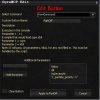
ss2.jpg

You want to be careful in fights where you need to see ground effects. Construct of Souls in HE x4, and Bastion EM and HM in HE x4, and similar MOBs -- you need to see the ground effects sometimes. What I do is is type: /r_particle_priority 0 on the screen I'm watching for those fights. When the fight ends, I hit my button again.

Ok, no big deal -- most of you knew that.

With a recent EQ2 patch, however, there's now a new command which is even better. You have to run it each time you zone, so when you enter HE x4, or POW, or what-have-you, you must hit the button every time you enter:
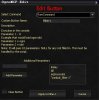
ss1.jpg

This command turns off all in-combat logging other than the one character in the session. You wont notice any FPS difference until you're in-combat. In HEx4 I added about 30-40% more FPS on each machine. For the mass "harrowing soul" fights which used to make two of my machines chug, they're now running around 17-19FPS and breezing along.

Again, you must use this command/button every time you zone-in to a raid zone, as the EQ2 system isn't storing this setting persistently.

Hope this helps you, and good luck raiding.

Regards,
Garp74
 

Cheesy

Well-Known Member
I saw these posted on official forums yesterday and the first one is nice for PoW, the second one however, I'm curious how it will effect Ogre and Scripted fights? I'm assuming if you have all the combat information turned off, certain fights you won't get the logs for information needed. I'm sure Kannkor can answer that :)
 

bjcasey

ISX Specialist
I saw these posted on official forums yesterday and the first one is nice for PoW, the second one however, I'm curious how it will effect Ogre and Scripted fights? I'm assuming if you have all the combat information turned off, certain fights you won't get the logs for information needed. I'm sure Kannkor can answer that :)
For the second command there are 4 settings:
0 - No combat information at all
1 - Self only combat information
2 - Group only combat information
3 - Raid combat information

By using the 1 option you should have all the information Ogre would need to operate properly. Only thing I can see it messing up would be ACT since you won't be getting your raid's dps numbers.
 

Kannkor

Ogre
I saw these posted on official forums yesterday and the first one is nice for PoW, the second one however, I'm curious how it will effect Ogre and Scripted fights? I'm assuming if you have all the combat information turned off, certain fights you won't get the logs for information needed. I'm sure Kannkor can answer that :)
99% of raid scripts don't relay on the log file at all. There are some older fights, like DoV part1 that do.

It's possible it could 'miss' some of the AE timers on-screen, but those are merely informational.
 

tarbasch

Senior Member
Are these commands all or nothing? what I mean is I play 8 toons (1 per core) on my main machine, I have everything except my main turned to lowest settings, is it possible to turn them off per instance of eq2 so that I can leave the spell particles on my main on? I assume turning off the logs don't matter as I would want to turn them all off.
 

Rodent

Member
Combat filter doesn't really help anything. It's still sending the data to you, it's just not displaying it to you.
 

Garp74

Member
Combat filter doesn't really help anything. It's still sending the data to you, it's just not displaying it to you.
That's not true at all. The purpose of the command is to stop flooding the client network with packets full of log data. For boxers, it's lowering the amount of interrupt requests being sent through your router. It helps lag tremendously for those of us using SOHO devices and boxing two, three, and four groups.
 
Last edited:

tarbasch

Senior Member
That's not true at all. The purpose of the command is to stop flooding the client network with packets full of log data. For boxers, it's lowering the amount of interrupt requests being sent through your router. It helps lag tremendously for those of us using SOHO devices and boxing two, three, and four groups.
Agree, it does make a difference, you can also tell its working because when I used it last night ACT stopped working as expected.
 

Quigly4000

Active Member
I'm still seeing alot of combat spam despite turning this thing on. ACT is still parsing too. I get the message "Combat filter set to: NONE" but i still see all the combat spam in my windows. This isn't supposed to be the case I'm assuming?
 

uiyice

Active Member
I'm still seeing alot of combat spam despite turning this thing on. ACT is still parsing too. I get the message "Combat filter set to: NONE" but i still see all the combat spam in my windows. This isn't supposed to be the case I'm assuming?
Combat filter set to: NONE <- (/combat_filter 0) Means no filtering, you see everything.

Best you can do is SELF (/combat_filter 1), which only shows your own damage in/out.
 

MrObvious

Senior Member
So ironically, the original post in this thread has com_filter=0, which does nothing. Be sure to fix your buttons.. :)
 

Quigly4000

Active Member
The OP has the right option. It was bj's post that led me astray when it said that setting it to 0 = no combat info at all and i took it to mean that it filtered all combat related logging instead of filtering no combat info hehe
 
Top Bottom