
EverQuest2.exe- No Disk
- Thread starter Trax
- Start date

ClassicCoke
Active Member
I've been getting this error a lot too lately.
No idea what the source of the message actually is; EQ2, isxeq2, or something else.
ClassicCoke
No idea what the source of the message actually is; EQ2, isxeq2, or something else.
ClassicCoke


Kevinshp
Well-Known Member
Primalz I can't picture you cursing!i see it rarely (not recently) and usually end up throwing my hands up in the air and cursing and rebooting.

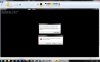
This is the popup message and No idea what's causing the problem.
Attachments
-
 12.1 KB Views: 187


bob_the_builder
Well-Known Member
http://forums.station.sony.com/eq2/posts/list.m?topic_id=479290
We've received a few calls on this and making sure you are launching our LaunchPad as an Admin has been helping alleviate the issue. If you already have run as admin set, unset it, apply, and reset it. Do the same for any antivirus or firewall exceptions. This includes automatically set exceptions if you've ever received a Deny/Allow box when you ran our LaunchPad for the first time. For that, open Windows Firewall and remove the EQ2 exception. It will prompt you again when you launch it.
We've received a few calls on this and making sure you are launching our LaunchPad as an Admin has been helping alleviate the issue. If you already have run as admin set, unset it, apply, and reset it. Do the same for any antivirus or firewall exceptions. This includes automatically set exceptions if you've ever received a Deny/Allow box when you ran our LaunchPad for the first time. For that, open Windows Firewall and remove the EQ2 exception. It will prompt you again when you launch it.
