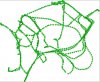
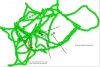
This is a new thread to talk about how to map with VGCraftbot.
Also talk about how VGCraftBot movement and bugs associated with all that.
This is a post Spudman made on the old thread:
3) VGcraftbot - LavNav mapping 101 - your map is broken down into 'spheres' and 'connections' amongst those spheres. When mapping mode is on it works like this, It checks if your current location is contained within a sphere, if it is, fine, if not it creates a new sphere based around your current loc and attaches it (connects it) to the last 'sphere' you were in. Connections are created anytime you move from one sphere to another and connections are created 2 way.
3a) So what does this mean? It means to map an area nicely you should run across it from all directions. i.e. in a general area, run N/S around the area, then run E/W around the area to create cross connections of the sphere, then run diagonally SW/NE and SE/NW. This will create a nice 'mesh' of connection that happen in all different directions and help make your bot run paths more realistically.
3b) The mapping doesnt' take into account jumping, etc. so basically don't do it. Keep a few feet away from fences and other obstacles so that spheres don't overlap them and then the bot thinks it can traverse them. NEVER jump over a fence in mapping mode, since it WILL connect spheres on both sides and think that it can walk right through it.
3c) Pathing vs. moving to an object. There's actually 2 phases to pathing in vgcraftbot. 1st is navigating the map to get to the closest 'sphere' to a target, 2nd is getting within the 'target precision' of that target once you are close. This means you don't have to map right up next to a target. You can map close to it, such that there's no obstacles in your way to the target, then the 1st nav portion will get you 'close' then the 2nd nav portion will move you to the object.
4) Doors/Tight spaces - This is where I really suggest you do #2. Then you can see when a new box has been added. Doors are a property of a given sphere.
4a) When dealing with a door, first make sure you are connected to your 'mesh' by running around the area outside the door a little bit in mapping mode. Then align yourself with the door and move slowly toward it until you see the debug msg that a new box has been added. Once you see that the new box has been added, hit the add door button. This will add the 'door' property to the spheres. Now move slowly toward it some more and when you see another box added, hit the add door button again. Keep doing this to every new box that it adds while going through the door. What the script does is while traving spheres that have the 'door' attribute it spams the 'usedooretc' function of VG. So it's somewhat important to have all your spheres both leading into and away from the door to have the 'door' attribute (because connections are made both ways).
4c) I would not map my way back through the door once I've got it mapped once. Personally, once I map a door I turn mapping mode off when i come back through it. This is because i want one and only one way to get through that door and that's the original way i went through the door. If I leave mapping mode on, it's possible it will add more spheres on the return trip and if i'm not paying attention those boxes won't have the door att.
4d) Related to 4c, tight spaces. Sometimes crafting stations, etc. are locating in some pretty tight spots inside buildings, etc. I take a similar approach to these as i do to doors. I run one single path VERY SLOWLY through the tight spaces and then i turn mapping mode off. In tight spaces I don't want a big mesh of a map, I want essentially a straight line that he will follow every time. If I leave mapping mode on it can take the chance of adding unwanted spheres/paths that I don't want to have when having to a) go through a door to a building, then b) navigate sharp corners to c) get to a crafting station that's in a tiny cubbyhole. If even one connection is accidentally made through a wall, it will hose the bot. so run the path ONE TIME and turn mapping mode off, then go back to meshed area and turn it back on.
Also talk about how VGCraftBot movement and bugs associated with all that.
This is a post Spudman made on the old thread:
3) VGcraftbot - LavNav mapping 101 - your map is broken down into 'spheres' and 'connections' amongst those spheres. When mapping mode is on it works like this, It checks if your current location is contained within a sphere, if it is, fine, if not it creates a new sphere based around your current loc and attaches it (connects it) to the last 'sphere' you were in. Connections are created anytime you move from one sphere to another and connections are created 2 way.
3a) So what does this mean? It means to map an area nicely you should run across it from all directions. i.e. in a general area, run N/S around the area, then run E/W around the area to create cross connections of the sphere, then run diagonally SW/NE and SE/NW. This will create a nice 'mesh' of connection that happen in all different directions and help make your bot run paths more realistically.
3b) The mapping doesnt' take into account jumping, etc. so basically don't do it. Keep a few feet away from fences and other obstacles so that spheres don't overlap them and then the bot thinks it can traverse them. NEVER jump over a fence in mapping mode, since it WILL connect spheres on both sides and think that it can walk right through it.
3c) Pathing vs. moving to an object. There's actually 2 phases to pathing in vgcraftbot. 1st is navigating the map to get to the closest 'sphere' to a target, 2nd is getting within the 'target precision' of that target once you are close. This means you don't have to map right up next to a target. You can map close to it, such that there's no obstacles in your way to the target, then the 1st nav portion will get you 'close' then the 2nd nav portion will move you to the object.
4) Doors/Tight spaces - This is where I really suggest you do #2. Then you can see when a new box has been added. Doors are a property of a given sphere.
4a) When dealing with a door, first make sure you are connected to your 'mesh' by running around the area outside the door a little bit in mapping mode. Then align yourself with the door and move slowly toward it until you see the debug msg that a new box has been added. Once you see that the new box has been added, hit the add door button. This will add the 'door' property to the spheres. Now move slowly toward it some more and when you see another box added, hit the add door button again. Keep doing this to every new box that it adds while going through the door. What the script does is while traving spheres that have the 'door' attribute it spams the 'usedooretc' function of VG. So it's somewhat important to have all your spheres both leading into and away from the door to have the 'door' attribute (because connections are made both ways).
4c) I would not map my way back through the door once I've got it mapped once. Personally, once I map a door I turn mapping mode off when i come back through it. This is because i want one and only one way to get through that door and that's the original way i went through the door. If I leave mapping mode on, it's possible it will add more spheres on the return trip and if i'm not paying attention those boxes won't have the door att.
4d) Related to 4c, tight spaces. Sometimes crafting stations, etc. are locating in some pretty tight spots inside buildings, etc. I take a similar approach to these as i do to doors. I run one single path VERY SLOWLY through the tight spaces and then i turn mapping mode off. In tight spaces I don't want a big mesh of a map, I want essentially a straight line that he will follow every time. If I leave mapping mode on it can take the chance of adding unwanted spheres/paths that I don't want to have when having to a) go through a door to a building, then b) navigate sharp corners to c) get to a crafting station that's in a tiny cubbyhole. If even one connection is accidentally made through a wall, it will hose the bot. so run the path ONE TIME and turn mapping mode off, then go back to meshed area and turn it back on.