Ogre Craft Navigation Options Not Saving

fryfrog

Well-Known Member
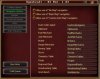
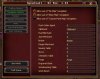
On the Navigation Options tab of OgreCraft, the names aren't saving. After filling them in and then closing Ogre Craft, they reset to "0" for most entries except Clipboard, Broker and Forge.

I used Ogre Map to make the map, but I used ISXEQ2's Craft naming scheme of "Wholesaler", "RushOrder" and "Sewing Table & Mannequin 1" (and so on). There is also a 2 and 3 of everything, as seemed to be the standard for ISXEQ2's craft. Should I just re-do the map?

When I first started playing around with OgreCraft, it populated the names with what I assume it considers the defaults.

What am I doing wrong?

I think the problems I'm having could be solved if I could use the custom map properly.
 
Last edited:

Kannkor

Ogre
Can you screen shot what you are seeing?

CraftNavNames.jpg

All I did here, was add an "a" to the end. Close OgreCraft, then re-open it.

Then, inside of:
Innerspace\Scripts\EQ2OgreCraft\XMLFiles\OgreCraftingOptions_Toonname.xml

<Setting Name="ocui_textentry_nav_rushorder">RushOrderAgenta</Setting>
<Setting Name="ocui_textentry_nav_fuelmerchant">FuelMerchanta</Setting>
<Setting Name="ocui_textentry_nav_junkmerchant">JunkMerchanta</Setting>
<Setting Name="ocui_textentry_nav_broker">Brokera</Setting>
<Setting Name="ocui_textentry_nav_recipemerchant">RecipeMerchanta</Setting>
<Setting Name="ocui_textentry_nav_sewingtable">SewingTablea</Setting>
<Setting Name="ocui_textentry_nav_stove">Stovea</Setting>
<Setting Name="ocui_textentry_nav_chemistrytable">ChemistryTablea</Setting>
<Setting Name="ocui_textentry_nav_forge">Forgea</Setting>
<Setting Name="ocui_textentry_nav_engraveddesk">EngravedDeska</Setting>
<Setting Name="ocui_textentry_nav_woodworkingtable">WoodworkingTablea</Setting>
<Setting Name="ocui_textentry_nav_workbench">WorkBencha</Setting>
<Setting Name="ocui_textentry_nav_clipboard">Clipboarda</Setting>
 

fryfrog

Well-Known Member
I haven't clicked any of the "save per character" buttons, so all I have is default file. I'll just try editing it and see how that works out. I've already gotten all the crafters to 92, but some testing would be reasonable for when we can go to 95 anyway.

Ogre_Craft_UI.jpg

Code:
	<Setting Name="ocui_textentry_nav_rushorder">0</Setting>
	<Setting Name="ocui_textentry_nav_fuelmerchant">0</Setting>
	<Setting Name="ocui_textentry_nav_junkmerchant">0</Setting>
	<Setting Name="ocui_textentry_nav_broker">Broker</Setting>
	<Setting Name="ocui_textentry_nav_recipemerchant">0</Setting>
	<Setting Name="ocui_textentry_nav_sewingtable">0</Setting>
	<Setting Name="ocui_textentry_nav_stove">0</Setting>
	<Setting Name="ocui_textentry_nav_chemistrytable">0</Setting>
	<Setting Name="ocui_textentry_nav_forge">Forge</Setting>
	<Setting Name="ocui_textentry_nav_engraveddesk">0</Setting>
	<Setting Name="ocui_textentry_nav_woodworkingtable">0</Setting>
	<Setting Name="ocui_textentry_nav_workbench">0</Setting>
	<Setting Name="ocui_textentry_nav_clipboard">Clipboard</Setting>
 

Kannkor

Ogre
I haven't clicked any of the "save per character" buttons, so all I have is default file. I'll just try editing it and see how that works out. I've already gotten all the crafters to 92, but some testing would be reasonable for when we can go to 95 anyway.
My best guess, is your patching messed up at some stage, and it didn't update a file.

Do this..
Only have 1 EQ2 session open on that computer.

Then type this in the console (Case sensitive)
ISXOgre:Repatch[100]
Once it's done, load ogrecraft and try again.
 
Last edited:

fryfrog

Well-Known Member
So I finally got around to this...

Is it possible that Ogre Craft doesn't like spaces in those boxes?

I ended up simply deleting the values from the xml file, which looks like it causes the defaults to be used. I then just re-did my map using the names Ogre preferred. Life is good now.
 
Top Bottom